
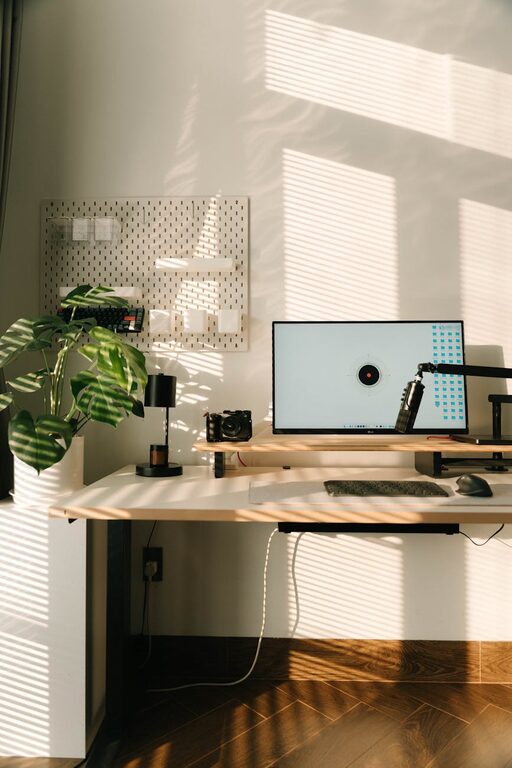
Creating a dedicated home office space has become essential for many people working remotely or balancing home and work life. A well-designed office area can significantly enhance focus, comfort, and efficiency. Whether you have a small corner in your living room or an entire spare room to dedicate to work, the key is to make the space inviting and functional.
In this post, we’ll explore practical tips to help you set up a home office that looks good, feels comfortable, and supports your productivity.
Choose the Right Location
Consider Natural Light
Selecting a spot with plenty of natural light can positively affect your mood and energy levels. Look for a space near a window where you can work during the day without straining your eyes.
Minimize Distractions
Choose a quiet area away from household noise. If that’s not possible, consider noise-cancelling headphones or adding soundproofing elements like rugs and curtains.
Think About Space Needs
Assess how much room you need for your equipment, documents, and movement. Make sure the area isn’t cramped, allowing you to work comfortably and stay organized.
Invest in Comfortable and Ergonomic Furniture
Ergonomic Chair
A supportive chair that promotes good posture is a must. Look for adjustable features like seat height, backrest tilt, and lumbar support to prevent discomfort during long work sessions.
Functional Desk
Choose a desk that fits your space and work habits. If you prefer standing occasionally, consider a sit-stand desk. Make sure it has enough surface area for your computer, paperwork, and other essentials.
Additional Storage
Shelving units, filing cabinets, or desk organizers help keep your workspace tidy. Proper storage reduces clutter and improves efficiency.
Optimize Lighting
Layer Your Lighting
Combine natural light with ambient, task, and accent lighting. Adjustable desk lamps with soft, warm bulbs reduce eye strain when working after dark.
Position Lighting Wisely
Avoid glare on your computer screen by placing lights to the side or behind the monitor. Using light colors on walls and furniture also helps reflect and diffuse light.
Keep Your Workspace Organized
Declutter Regularly
Remove unnecessary items to maintain a clean work environment. A clutter-free desk helps you focus and reduces stress.
Use Organizational Tools
Drawer dividers, cable organizers, and labeled folders keep supplies and documents in order. Digital organization tools can also streamline your workflow.
Personalize Your Space
Add Greenery
Indoor plants not only improve air quality but also add a touch of nature that can boost creativity and reduce fatigue.
Incorporate Inspirational Decor
Use artwork, motivational quotes, or your favorite colors to create an environment that inspires you.
Comfort Items
Consider adding a cozy rug, a soft throw blanket, or cushions to make the space welcoming and comfortable.
Ensure Good Technology Setup
Reliable Internet
A strong, stable internet connection is crucial for video calls, research, and sending documents.
Quality Equipment
Invest in a good monitor, keyboard, and mouse that suit your needs. Noise-cancelling headphones can improve virtual meeting experiences.
Cable Management
Use cable ties or covers to reduce messy cords, making the space safer and more pleasant to use.
Establish Boundaries
Define Work Hours
Set clear start and end times for your workday to maintain a healthy work-life balance.
Signal Your Availability
If you share your home with others, communicate your work schedule and use visual cues, like a sign or a closed door, to minimize interruptions.
—
By applying these tips, you can create a home office that not only looks inviting but also supports your daily tasks effectively. The right combination of comfort, organization, and personalization enhances productivity while making your work environment a place you enjoy spending time in. Take small steps, and soon your home office will become a central part of your professional and personal success.